
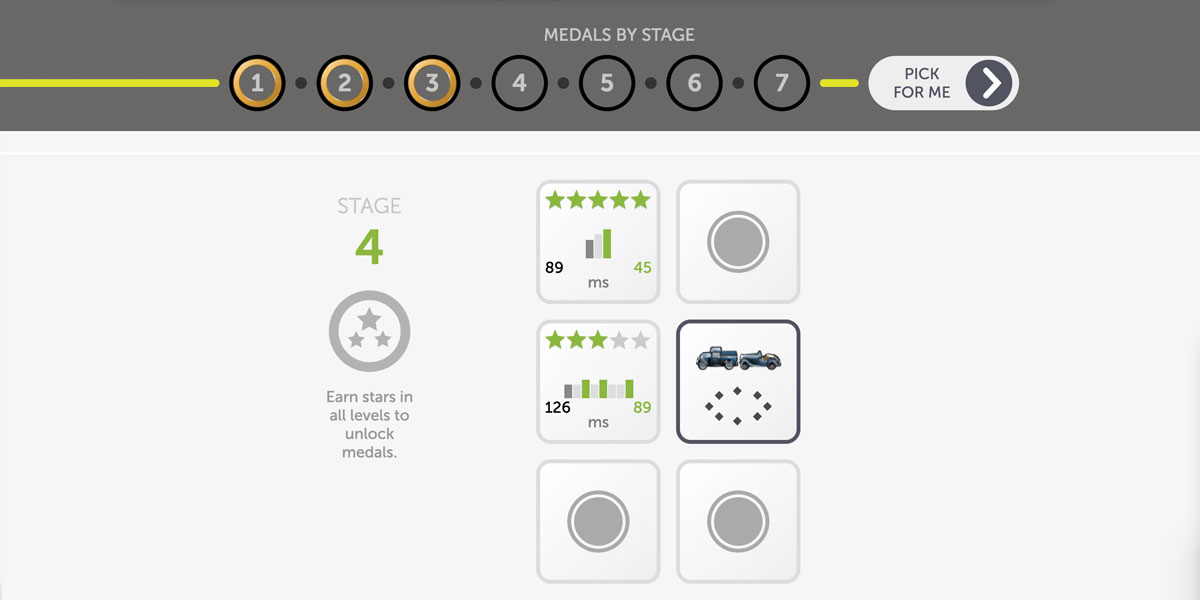
We’ve added a new feature in BrainHQ that can help you understand how each exercise changes, and choose the levels you want!
Here’s how you find it:
- In the “Explore All Exercises” menu, choose any exercise.
- Roll over any of the square “tiles.” Each tile represents one level in that exercise.
- You’ll see a picture of what you’ll find in that level. By rolling over other tiles, you can see how the levels are different.
Here are a few examples from the exercise Double Decision–an exercise that asks you to choose from two cars that flash briefly in the middle of the screen, while also locating a street sign in the periphery:
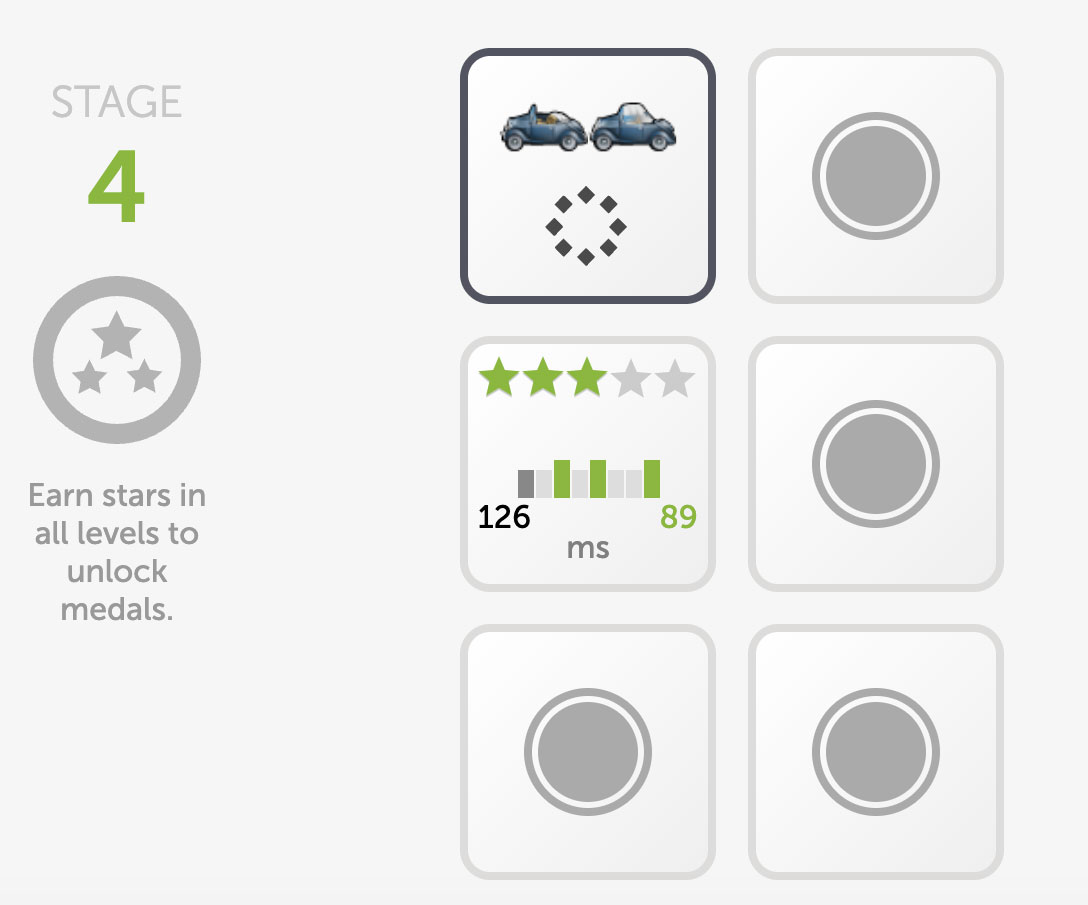
When you roll over the first tile here, you’ll see that in that level of the exercise you’ll have to tell the difference between a convertible and a sedan. The dots in the circle show you that the street signs on the periphery will be close in.
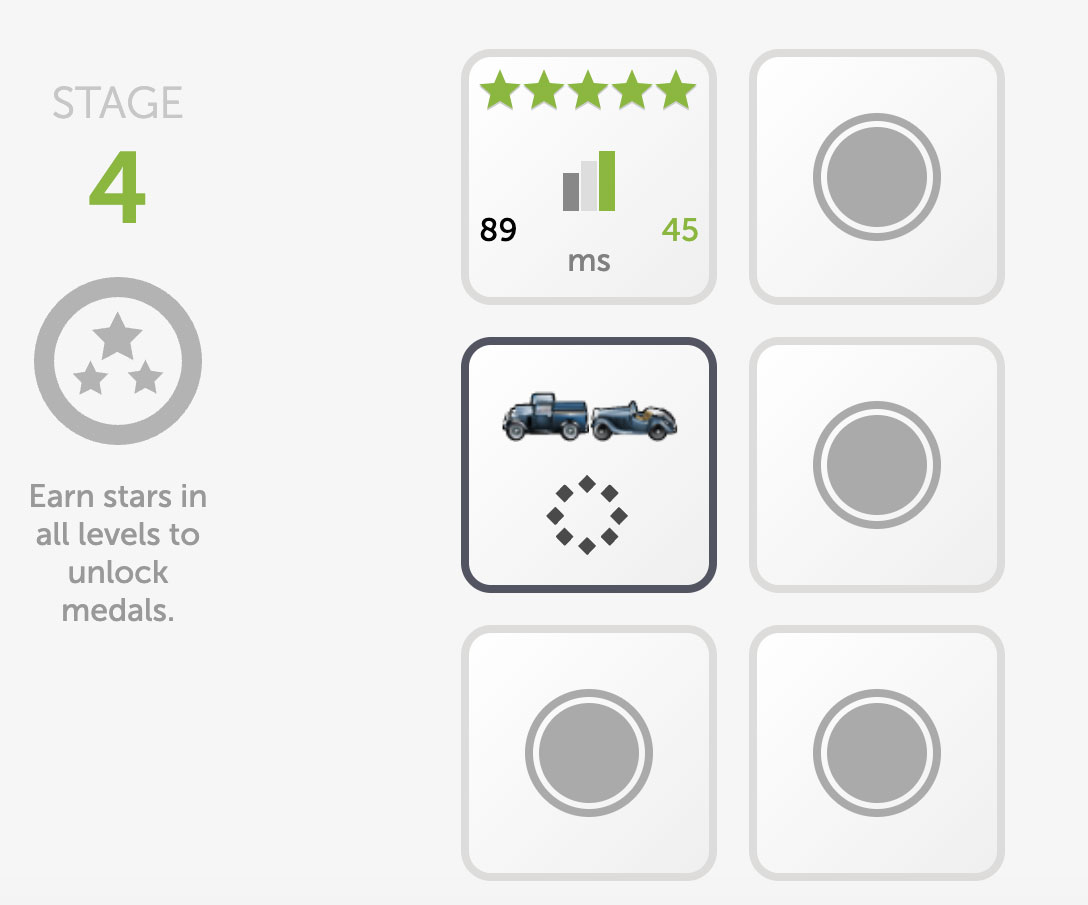
When you move down to the tile below, you can see that the cars have changed. In this level, you’ll have to choose between a pickup and a convertible.
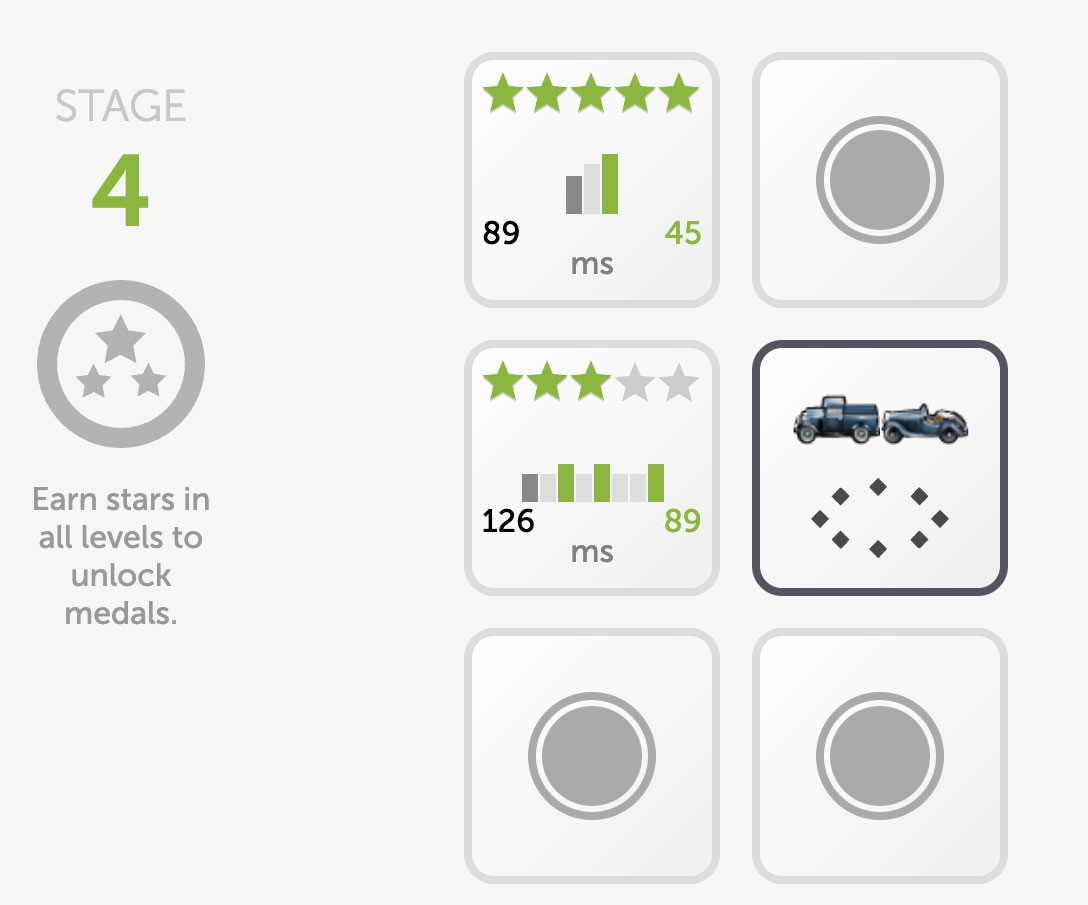
And if you roll over the tile next to that one, you’ll see that the two cars are the same–but now the signs in the periphery will be spread out wider.
This new feature can help you keep track of how the levels change. The changes are sometimes subtle–but each one challenges your brain in a new way. These levels work together to give a comprehensive workout to your brain, providing the most benefit for your brain health. And, if there are some levels you really like (or ones you want to avoid) you can pick and choose with a preview of what the level will show!